Merry Everything: A Festive Dingbat Typeface for Holiday Branding
I was staring at a blank brand board last week, trying to inject some warmth into a minimalist identity for a local artisanal candle shop. The client wanted cozy, but not cheesy. They wanted festive, but not overwhelming. That’s when I pulled up Merry Everything. It’s not your standard serif or sans serif typeface; it’s a collection of charming Christmas icons designed as dingbats. After testing it across a logo draft, packaging mockup, and social media layout, I found myself genuinely impressed by how versatile this creative font can be when used with intention.
First Impressions: More Than Just Snowflakes
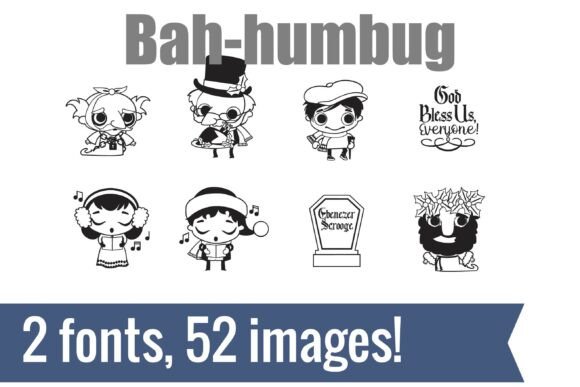
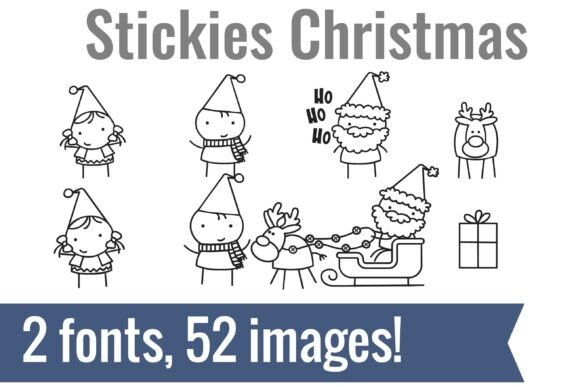
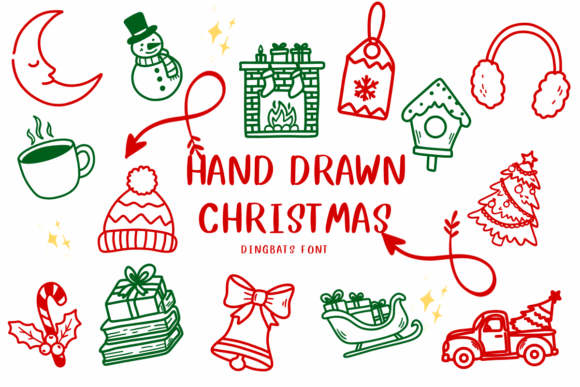
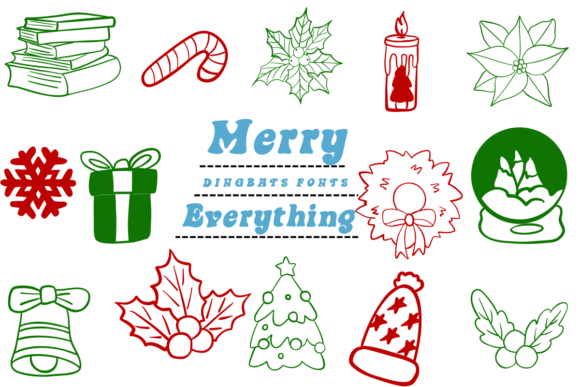
If you are looking for a traditional alphabet to set body copy, look elsewhere. Merry Everything is strictly a decorative font built around holiday-themed symbols. But don’t let the limited character set fool you into thinking it lacks substance. This premium font pack is densely packed with visual storytelling elements. From intricate wreaths and delicate snowflakes to gift boxes, holly sprigs, and cozy winter hats, every glyph feels hand-crafted rather than algorithmically generated.
The personality here is undeniably cheerful and nostalgic. When I first dropped these icons onto my digital canvas, they immediately established a mood. It’s the kind of visual language that screams “holiday season” without needing extra text to explain itself. For designers working in editorial design or seasonal marketing, having access to such cohesive design assets saves hours of searching for compatible clip art. Instead of hunting for disparate images that clash in style, you get a unified typographic system that maintains visual consistency throughout your project.
Testing in Real-World Branding Scenarios
To truly understand if a font works, you have to put it through the wringer. I didn’t just use Merry Everything for fun; I tested it on realistic commercial projects to see how it holds up under pressure.
Logo Design and Brand Identity
In logo design, simplicity is king, but so is recognition. Using Merry Everything as the primary logo mark worked surprisingly well for a boutique bakery branding project. By isolating a single, strong icon—like a stylized gingerbread house or a large gift box—and pairing it with a clean sans serif font, we created a balanced composition. The dingbat acted as the emotional hook, while the supporting typography provided the necessary clarity. However, I would caution against using the full range of icons in a small-scale logo. At 16 pixels, the details blur, and the charm turns into noise.
Packaging Design and Product Labels
This is where Merry Everything truly shines. Packaging design often requires quick visual communication. On a product label for a handmade soap or a jar of holiday spice blend, these icons serve as excellent accents. I placed a wreath border around the product name and used small snowflake separators between ingredient lists. The result was a package that felt curated and special. Because these are fonts and not raster images, they scale infinitely without losing quality, which is crucial for print-on-demand products or high-resolution web design.
Social Media Graphics and Web Headers
For social media graphics, engagement is driven by visual appeal. I created an Instagram post series using Merry Everything to create custom dividers and bullet points. Instead of generic lines, I used tiny holly leaves and stars. It added a layer of professionalism and thematic cohesion that static images couldn’t achieve. Similarly, in web design, using these icons as section headers or decorative elements in a homepage hero section can break up text-heavy layouts and guide the user’s eye naturally.
Font Pairing and Visual Hierarchy
One of the biggest mistakes designers make with display fonts is letting them do all the heavy lifting. Merry Everything is best used as an accent font or a decorative element, not as a standalone typeface for long-form content. To create effective visual hierarchy, you need to pair it carefully.
- With a Sans Serif Font: Pairing the whimsical icons with a clean, modern sans serif font creates a contemporary contrast. This works beautifully for tech companies or startups doing a holiday campaign, keeping the vibe fresh and energetic.
- With a Script Font: For a more traditional, elegant feel, combine the icons with a flowing script font. This combination evokes classic holiday cards and luxury branding, perfect for skincare products or high-end gift sets.
- With a Serif Font: A sturdy serif font grounds the playful nature of the dingbats. This pairing is ideal for editorial design, such as magazine covers or newsletter headers, where readability meets seasonal charm.
When designing, remember that less is often more. Use Merry Everything to highlight key moments—a header, a call-to-action button, or a divider—rather than saturating the entire layout. Overuse can dilute the impact and make the design feel cluttered.
Limitations and Practical Considerations
No tool is perfect, and understanding the limitations of Merry Everything is part of being an experienced designer. First, because it is a dingbat font, it does not contain letters or numbers. You cannot write sentences with it. Second, readability is not its forte. Attempting to use these icons for body text will result in confusion and frustration for your audience. It is strictly a visual aid.
Additionally, consider the context of your brand. While these icons are universally recognized as festive, they may not suit every corporate identity. If you are designing for a formal financial institution or a medical facility, the whimsical nature of the winter hats and gift boxes might undermine the perceived professionalism. In such cases, reserve Merry Everything for specific seasonal campaigns rather than core brand identity.
Final Verdict for Designers
After weeks of testing, I can confidently say that Merry Everything is a valuable addition to any designer’s toolkit, especially those who work frequently with seasonal clients. Its strength lies in its ability to instantly communicate a holiday mood while maintaining high-quality vector standards. Whether you are creating business cards, flyers, or digital templates, these design assets offer a level of polish that elevates the overall aesthetic.
Before incorporating Merry Everything into final client work, always test the files in your intended output environment. Check the included styles, alternates, and ligatures to ensure you are getting the most out of the package. And critically, review the commercial font licensing agreement. While many dingbats allow for broad usage, some restrictions may apply to merchandise or resale items. Ensuring you have the right permissions protects both you and your client from potential legal issues.
Ultimately, Merry Everything isn’t just a font; it’s a mood enhancer. Used sparingly and strategically, it can transform a standard design into a memorable holiday experience. For graphic designers, brand creators, and small business owners looking to add a touch of festive cheer to their visual communications, this creative font delivers exactly what it promises: everything merry, nothing messy.